Pay a Loan or Credit Card Via Transfer
We have several convenient ways to make payments to your loans, including via transfer and with a card from another institution.
-
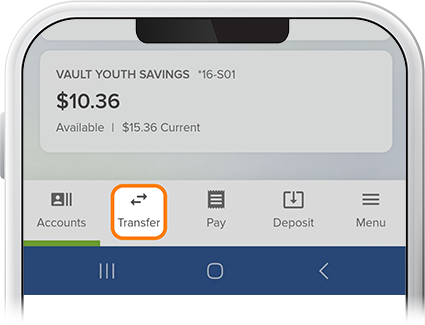
Step 1
Tap Transfer at the bottom of the screen. (Also available in the Menu tab.)
-
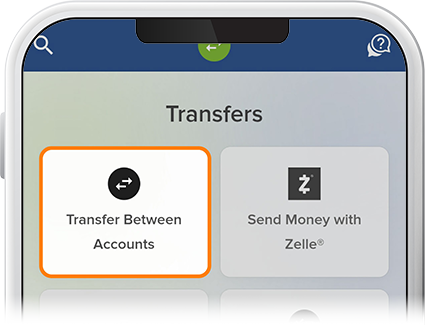
Step 2
Select Transfer Between Accounts.
-
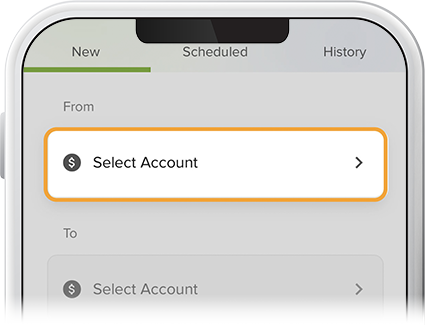
Step 3
Select the funding source (this can be an external institution if it’s connected to your SELCO account) and the loan for which you'd like to make payments.
-
Step 4
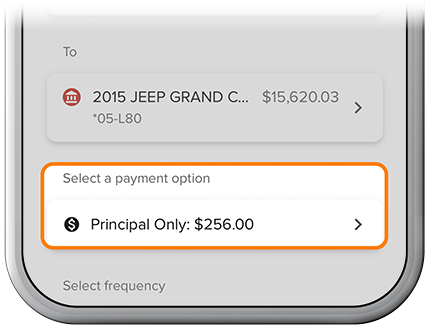
Select a payment option. From here, you can make your regular payment, a principal-only payment in addition to your normal monthly payment, or even pay off your loan.
-
Step 5
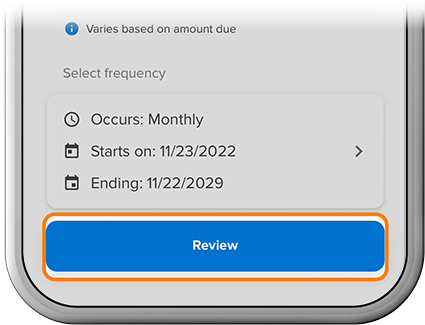
Fill in the frequency, start date, and end date for your payments, then select "Review."
-
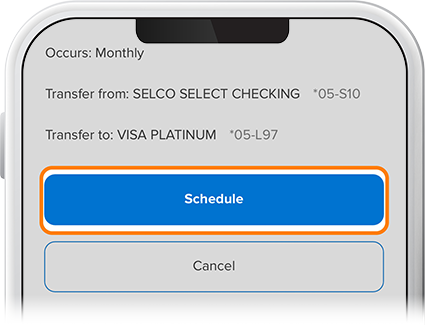
Step 6
If everything checks out, tap “Schedule,” and your loan payments are set.