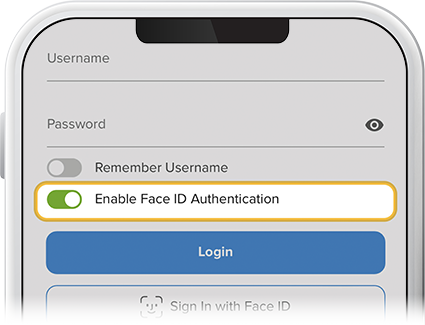
Enable Face or Fingerprint ID
-
Step 1
Once you’ve enabled Face ID or fingerprint ID on your mobile device, and before logging in with your username and password: Toggle on Enable Face ID Authentication on iPhones or Enable Fingerprint Authentication on Android devices.
From now on, all you’ll need to log in is your Face ID or your fingerprint. You can turn this feature off at any time.