SELCO branches and contact centers will be closed Monday, September 7 in observance of Labor Day. Account access and support will still be available through digital banking and our virtual phone assistant.

Phishing alert: SELCO impersonators are calling about fraudulent transactions and requesting account information. As a reminder, SELCO will never contact you requesting sensitive information or instruct you to perform transactions. If you receive one of these calls, please hang up immediately.

Transfer to Another Member

  1. Step 1

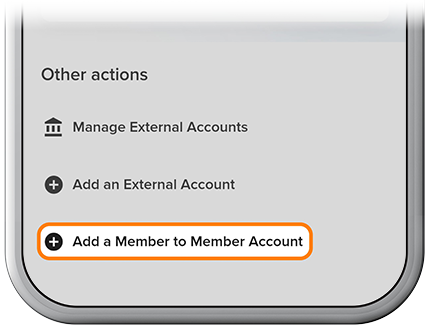
    Please review our Add a Member-to-Member Account how-to, then tap Transfer, then Add a Member to Member Account. 
  2. Step 2

    Tap Manage, then select the other member’s account. 
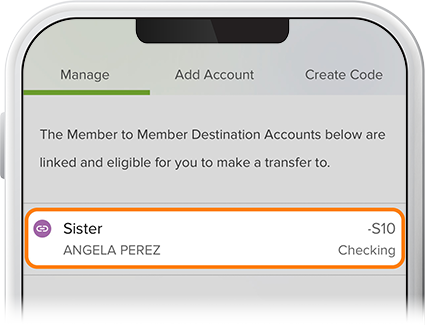
    Transfer to another member step 2
  3. Step 3

    Select a funding source for the transfer, fill in the proper fields, then review and confirm. To view scheduled transfers, tap the Scheduled tab on the Transfers page.
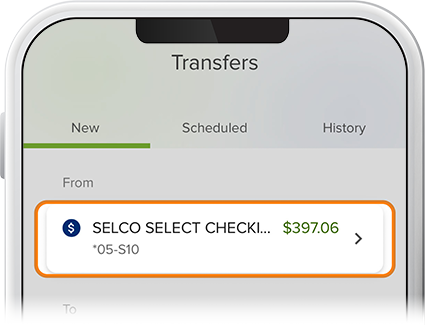
    Transfer to another member step 3