Phishing alert: We’ve received reports of SELCO impersonators calling members about fraudulent transactions. As a reminder, SELCO will never contact you requesting sensitive information, including card numbers or login credentials. If you receive one of these calls, please hang up immediately.

SELCO branches and contact centers will be closed Monday, October 12 in observance of Indigenous Peoples’ Day. Account access and support will still be available through digital banking and our virtual phone assistant.

  1. Step 1

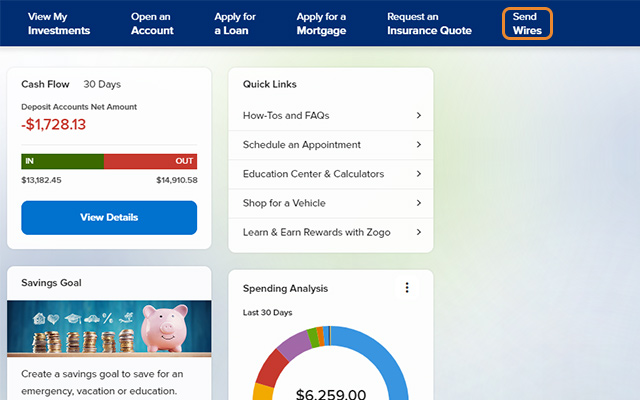
    Please review our wire transfers FAQs under Payments & Transfers and informational how-tos before initiating a wire transfer. Click Send Wires from the menu. 
  2. Step 2

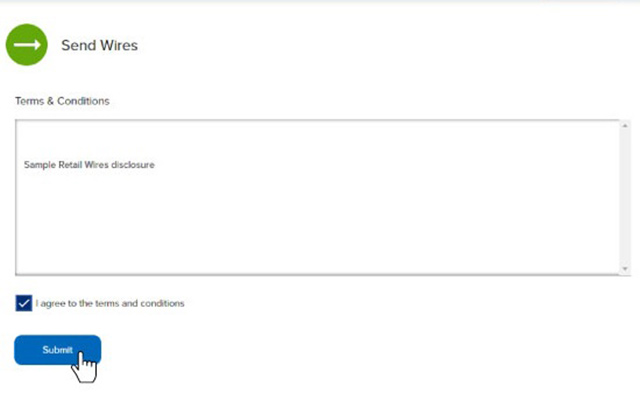
    Review and accept the terms and conditions. 
  3. Step 3

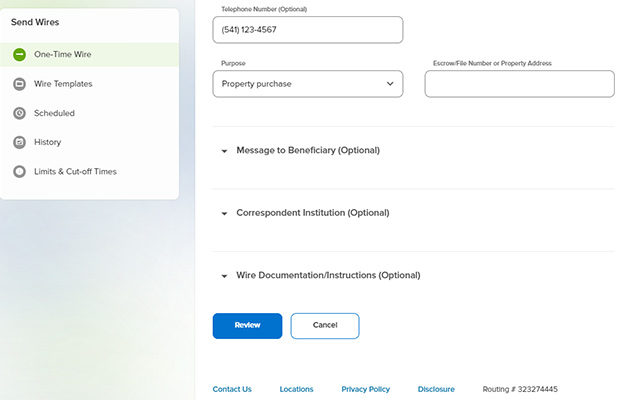
    Complete the required fields, then select Review. Note: There is a $25 fee to send a wire (this will be debited from the selected funding account). For your security, you may receive a verification call before your request is processed. 
  4. Step 4

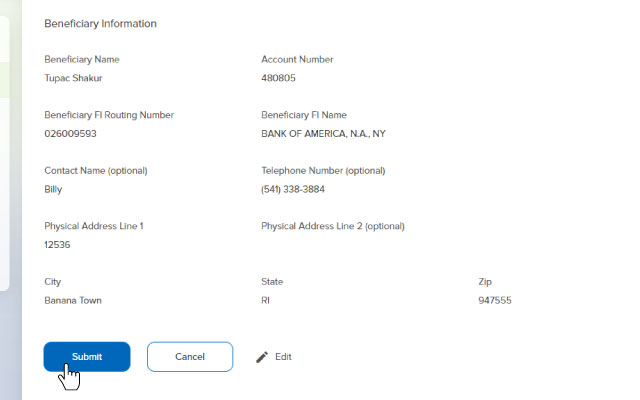
    Confirm the wire-transfer details, then press Submit. 
     

    Send a wire step 4