SELCO branches and contact centers will be closed Monday, September 7 in observance of Labor Day. Account access and support will still be available through digital banking and our virtual phone assistant.

Phishing alert: SELCO impersonators are calling about fraudulent transactions and requesting account information. As a reminder, SELCO will never contact you requesting sensitive information or instruct you to perform transactions. If you receive one of these calls, please hang up immediately.

Find Your Routing & Account Info

  1. Step 1

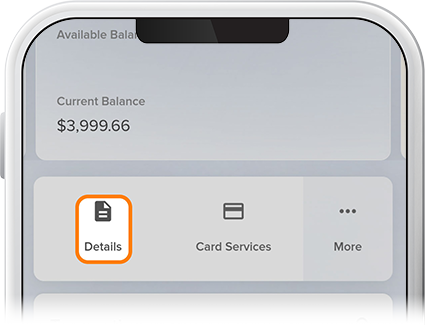
    Choose the relevant account from the homepage.

  2. Step 2

    Select Details.

    Find Your Routing and Account Info - Step 2
  3. Step 3

    Here you'll find your member number (along with share ID), SELCO's routing number, and your full account number. Your full account number, listed under the "Account Number for ACH/Direct Deposit" heading, will be the one you'll use when setting up direct deposit or making ACH transfers.
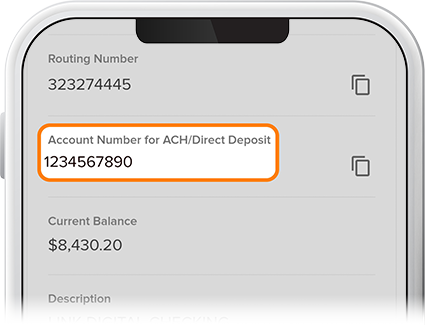
  4. Step 4

    You can also find the routing number by tapping Menu then scrolling to the bottom of the page. 
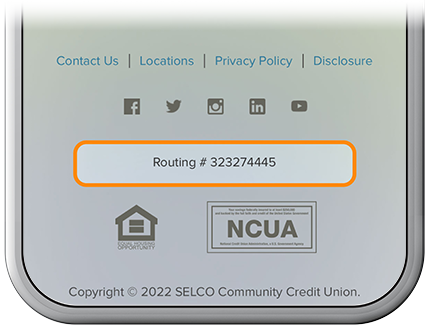
    Find routing and account information step 3