Manage Certificate Options
-
Step 1
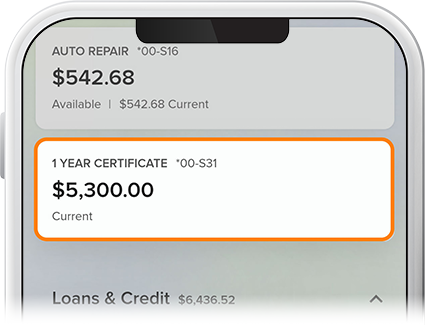
Select the certificate account from your homepage.
-
Step 2
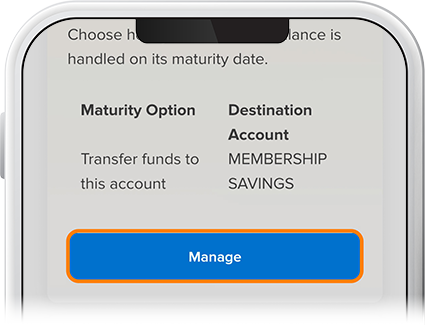
To set your maturity preferences, tap Certificate Options, then select Manage from “Maturity Options.” You'll also find your maturity date here.
-
Step 3
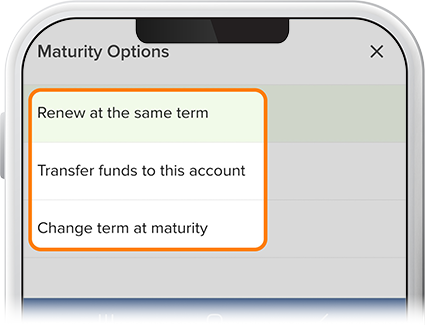
Select a maturity option from the drop-down, then select Review. (Note: Starting 14 days before your certificate's maturity date, a badge saying "Maturing Soon" will appear next to your certificate under Cash Accounts on the homescreen.
-
Step 4
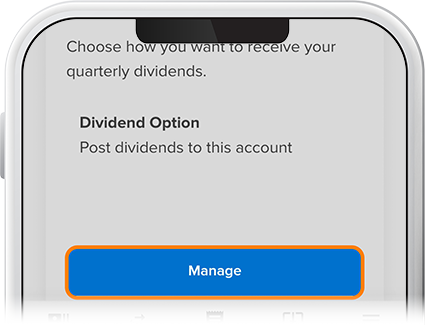
To set your dividend preferences, tap Certificate Options, then select Manage from “Dividend Options.” Note: College certificates don’t include dividend options.
-
Step 5
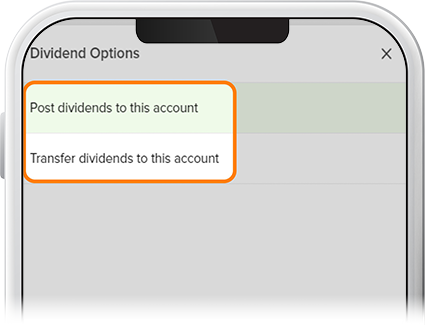
Select a dividend option from the drop-down, then select Review.
-
Step 6
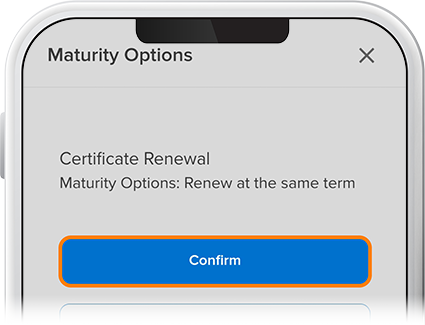
Verify your choice and select Confirm.