Phishing alert: We’ve received reports of SELCO impersonators calling members about fraudulent transactions. As a reminder, SELCO will never contact you requesting sensitive information, including card numbers or login credentials. If you receive one of these calls, please hang up immediately.

SELCO branches and contact centers will be closed Monday, October 12 in observance of Indigenous Peoples’ Day. Account access and support will still be available through digital banking and our virtual phone assistant.

Enroll in Round-Up Savings

  1. Step 1

    Tap on your Link Digital Checking (If you haven’t opened a Link account, go here.)
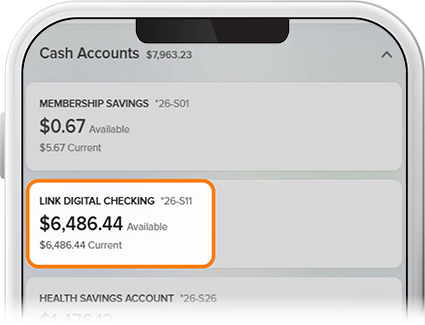
    Enroll in Round-Up Savings - Step 1
  2. Step 2

    Tap More on the right side of the screen, select Match Tracker, and then Enroll Now on the Round-Up Savings widget.
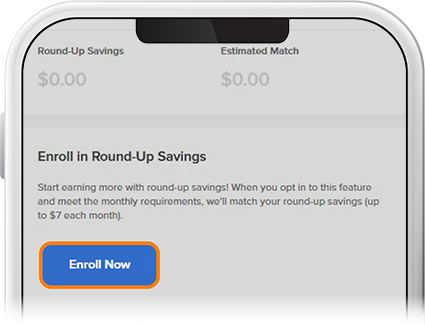
    Enroll in Round-Up Savings - Step 2
  3. Step 3

    Check the box marked “Opt in to Round-Up Savings,” then select which savings account to be funded and tap Submit.
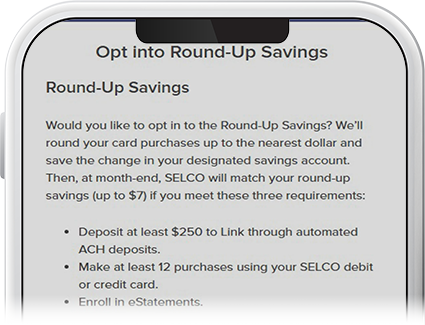
    Enroll in Round-Up Savings - Step 3