Aggregate Investment Accounts
-
Step 1
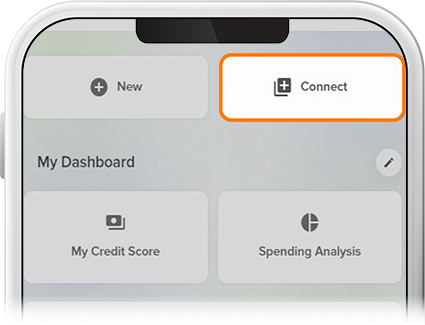
Tap Connect below your accounts on the homescreen.
-
Step 2
If you haven’t enabled the Account Aggregator tool yet, you’ll be greeted by a screen to activate the feature.

-
Step 3
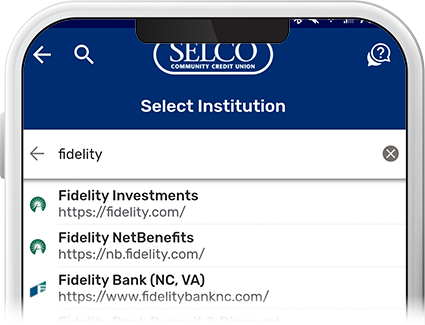
Tap Get Started, then select your investment company from the list. If yours isn’t listed, type the name in the search field. (For subsequent accounts to link, tapping Connect on the homescreen will take you straight to the company search screen.)
-
Step 4
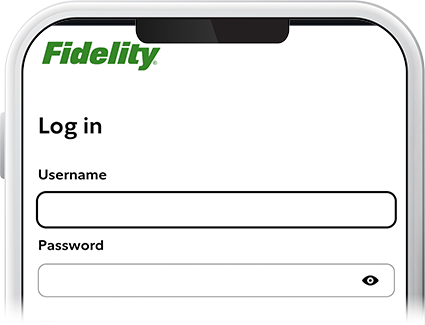
Enter your login credentials and any multi-factor authentication information for your investment company and press Submit or Log In.
-
Step 5
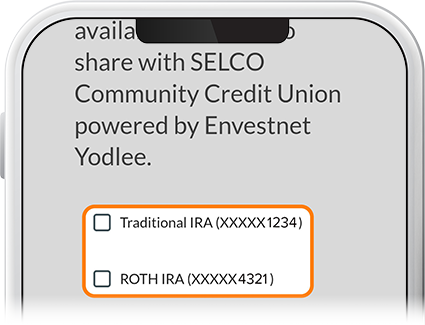
You’ll be prompted to choose which accounts you want to link to your digital banking. And that’s it.