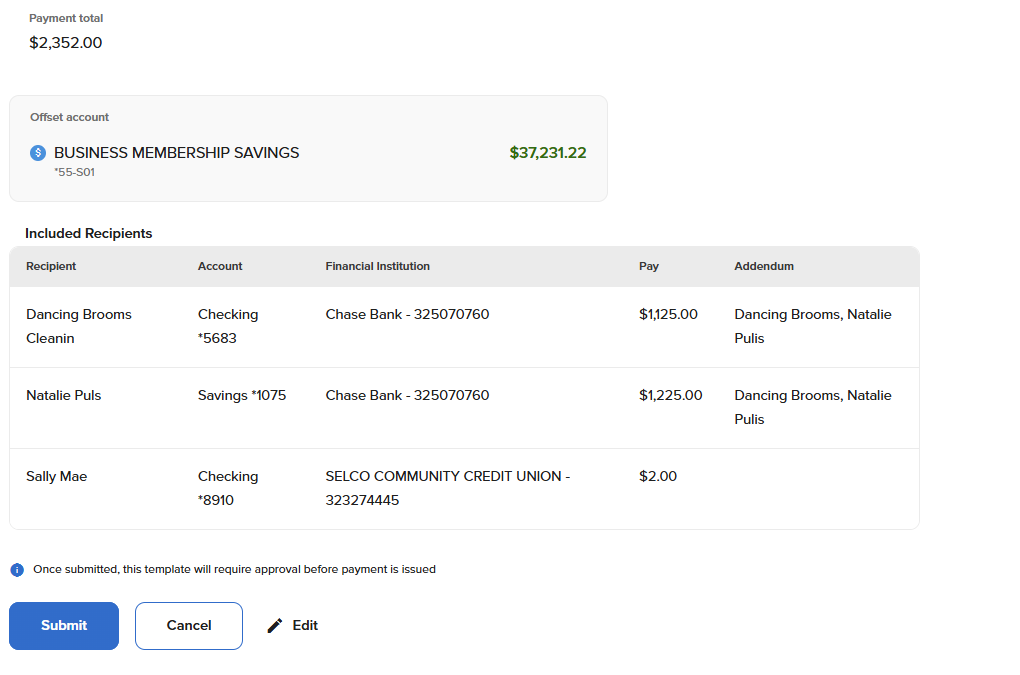
Schedule ACH Templates
-
Step 1
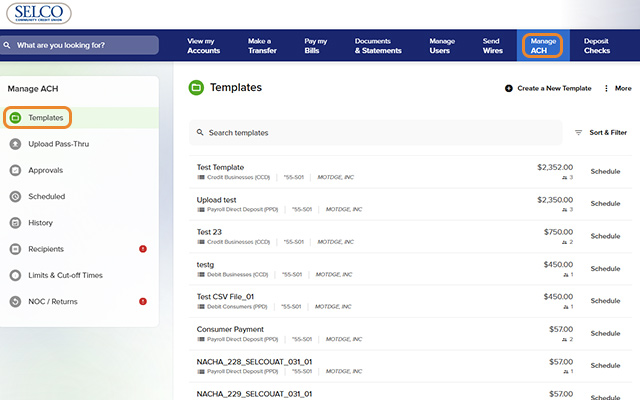
Click Manage ACH from the top navigation, then Templates from the left menu.
-
Step 2
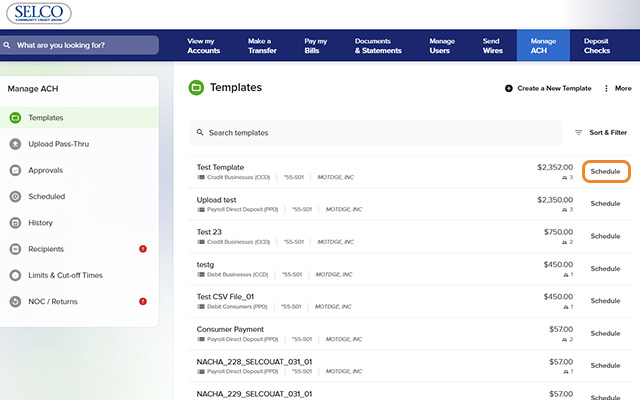
Select Schedule next to a template on the list. (Note: If your template includes more than 20 recipients, click Show More to view the full list.)
-
Step 3
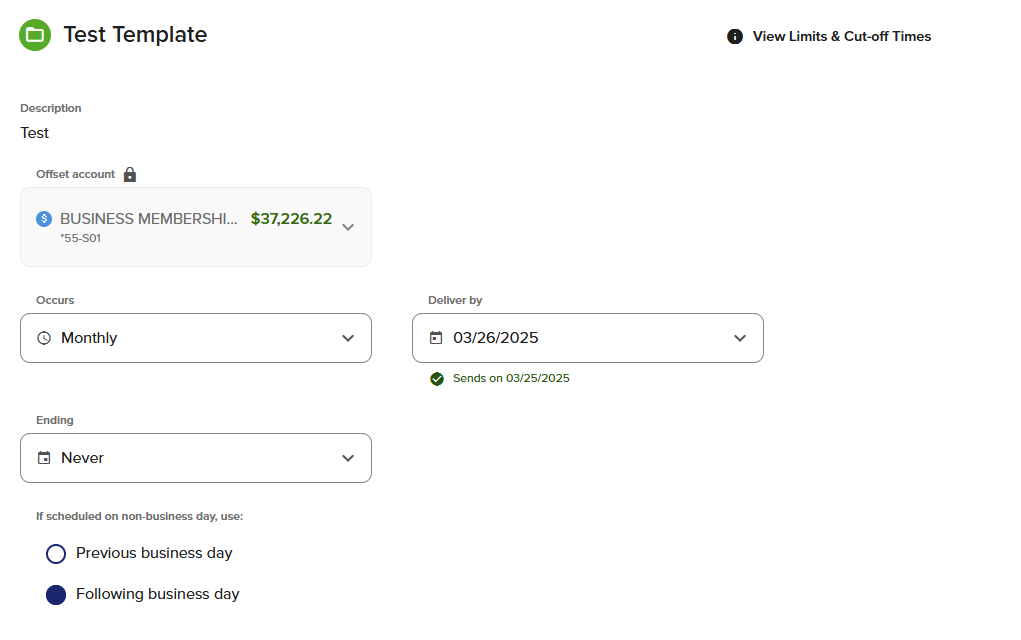
Fill in the fields, including the occurrence and delivery date of your ACH payment, then click Review.
-
Step 4
A pop-up will appear asking if you'd like to save the payment amounts entered for each recipient. Click Submit and your payments are scheduled.