Edit ACH Recipients
-
Step 1
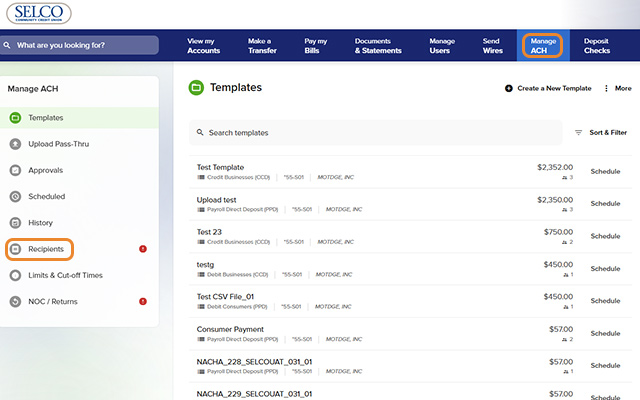
Click Manage ACH from the top navigation, then Recipients in the left navigation.
-
Step 2
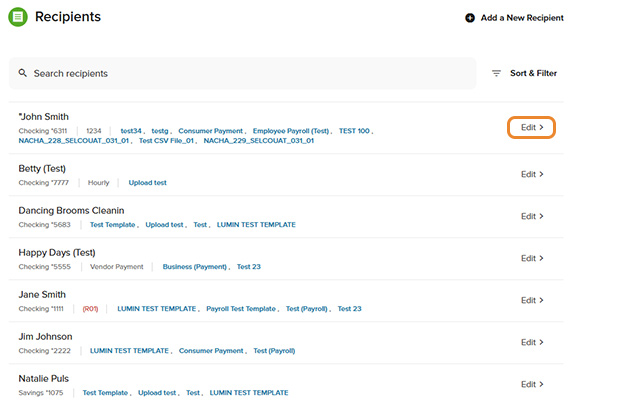
Click Edit next to a recipient from the list. (Note: If you have more than 10 recipients, click Show More to view the full list.)
-
Step 3
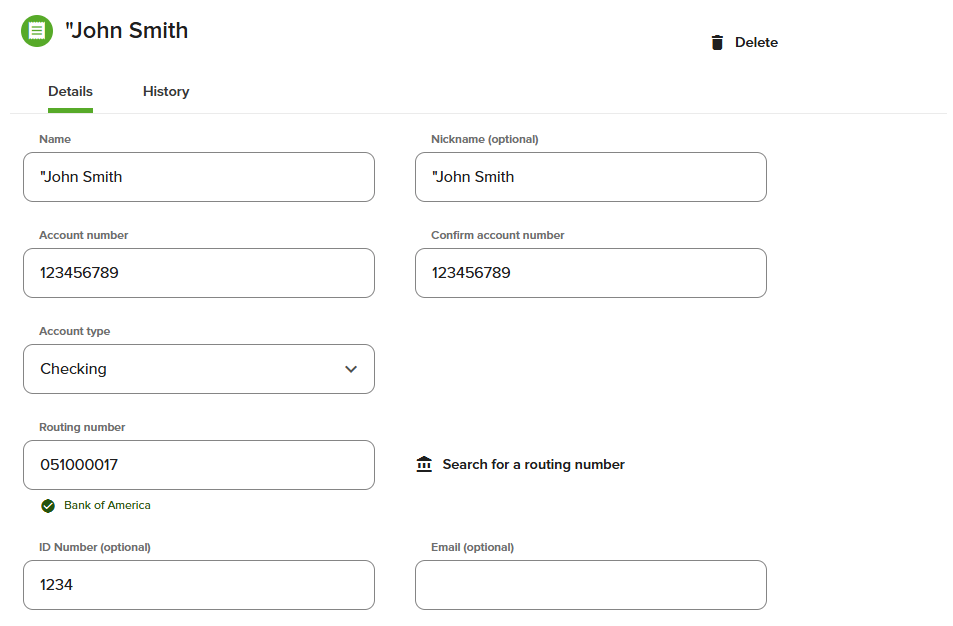
Edit the recipient's information, then press Save. To delete the recipient, select the Delete icon at the top right.