Phishing alert: We’ve received reports of SELCO impersonators calling members about fraudulent transactions. As a reminder, SELCO will never contact you requesting sensitive information, including card numbers or login credentials. If you receive one of these calls, please hang up immediately.

SELCO branches and contact centers will be closed Monday, October 12 in observance of Indigenous Peoples’ Day. Account access and support will still be available through digital banking and our virtual phone assistant.

  1. Step 1

    Click Manage ACH from the top navigation, then Recipients in the left navigation.
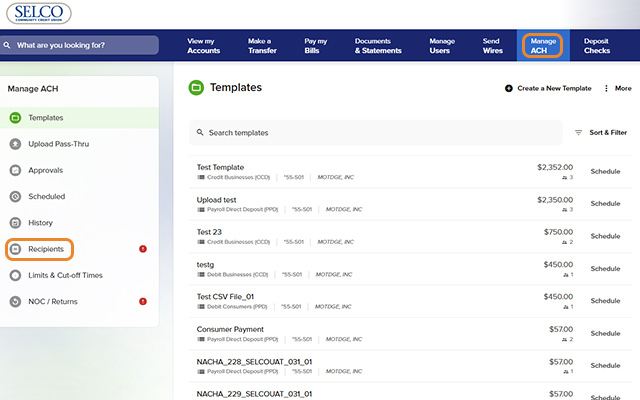
    Add ACH Recipients - Step 1
  2. Step 2

    Click Add a New Recipient in the upper right, then fill in the fields and press Save.
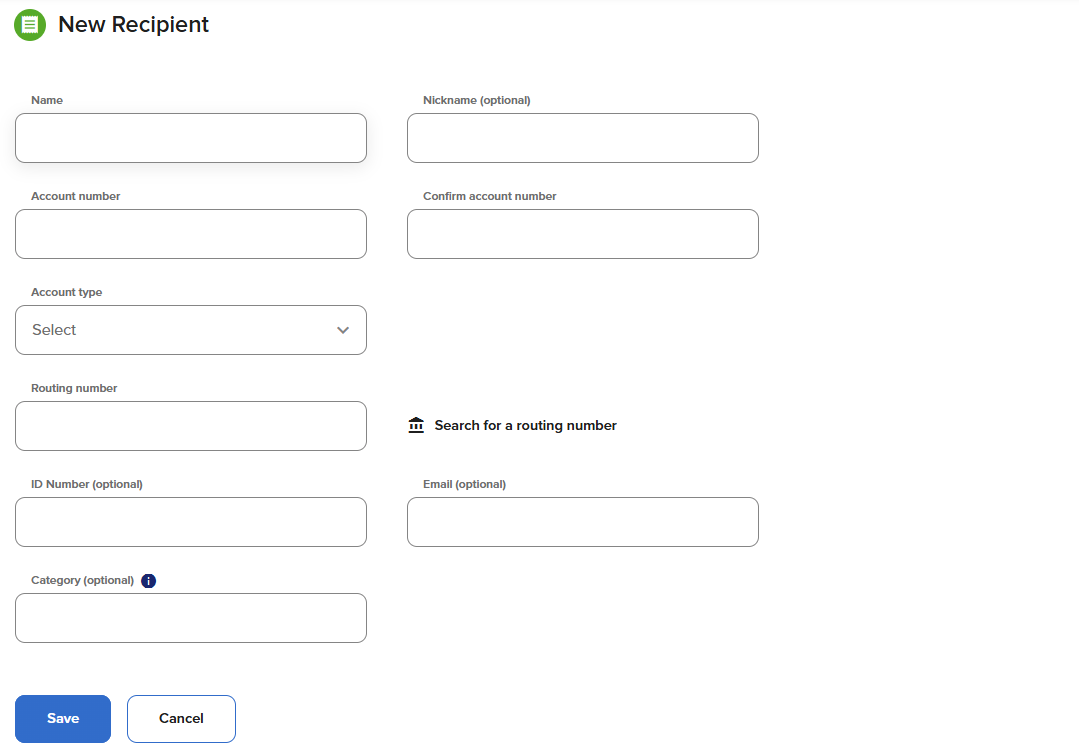
    Add ACH Recipients - Step 2