Phishing alert: We’ve received reports of impersonators calling and texting members to initiate wire transfers or cash withdrawals. As a reminder, SELCO will never contact you to request funds or initiate transactions. If you receive one of these messages, please delete it or hang up immediately.

  1. Step 1

    Click Manage ACH from the top navigation, then Recipients in the left navigation.
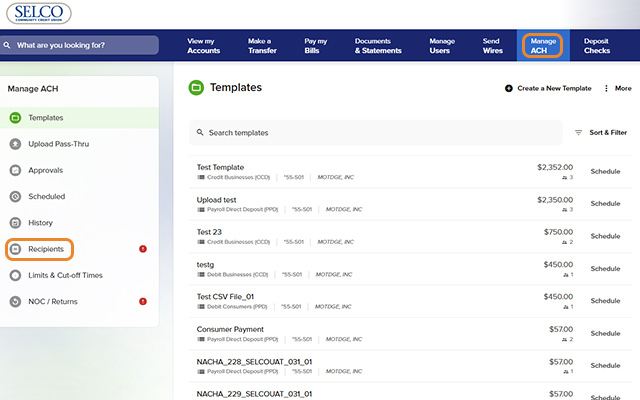
    Add ACH Recipients - Step 1
  2. Step 2

    Click Add a New Recipient in the upper right, then fill in the fields and press Save.
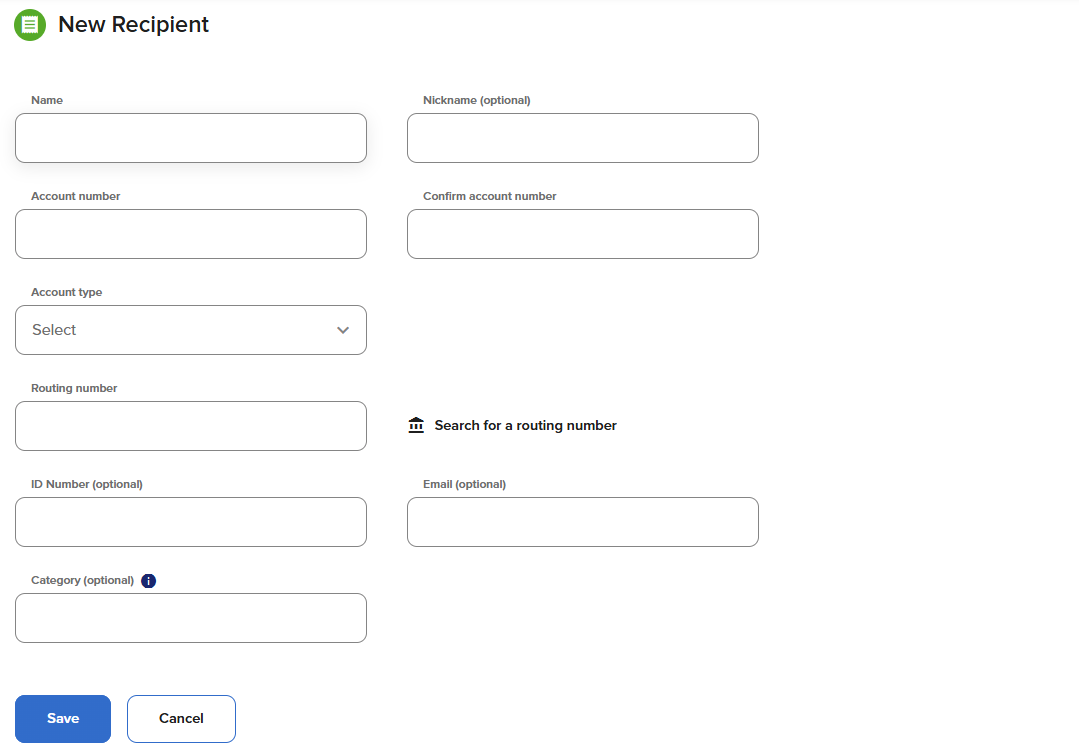
    Add ACH Recipients - Step 2